Client approval
Get client feedback and approval without the email chain
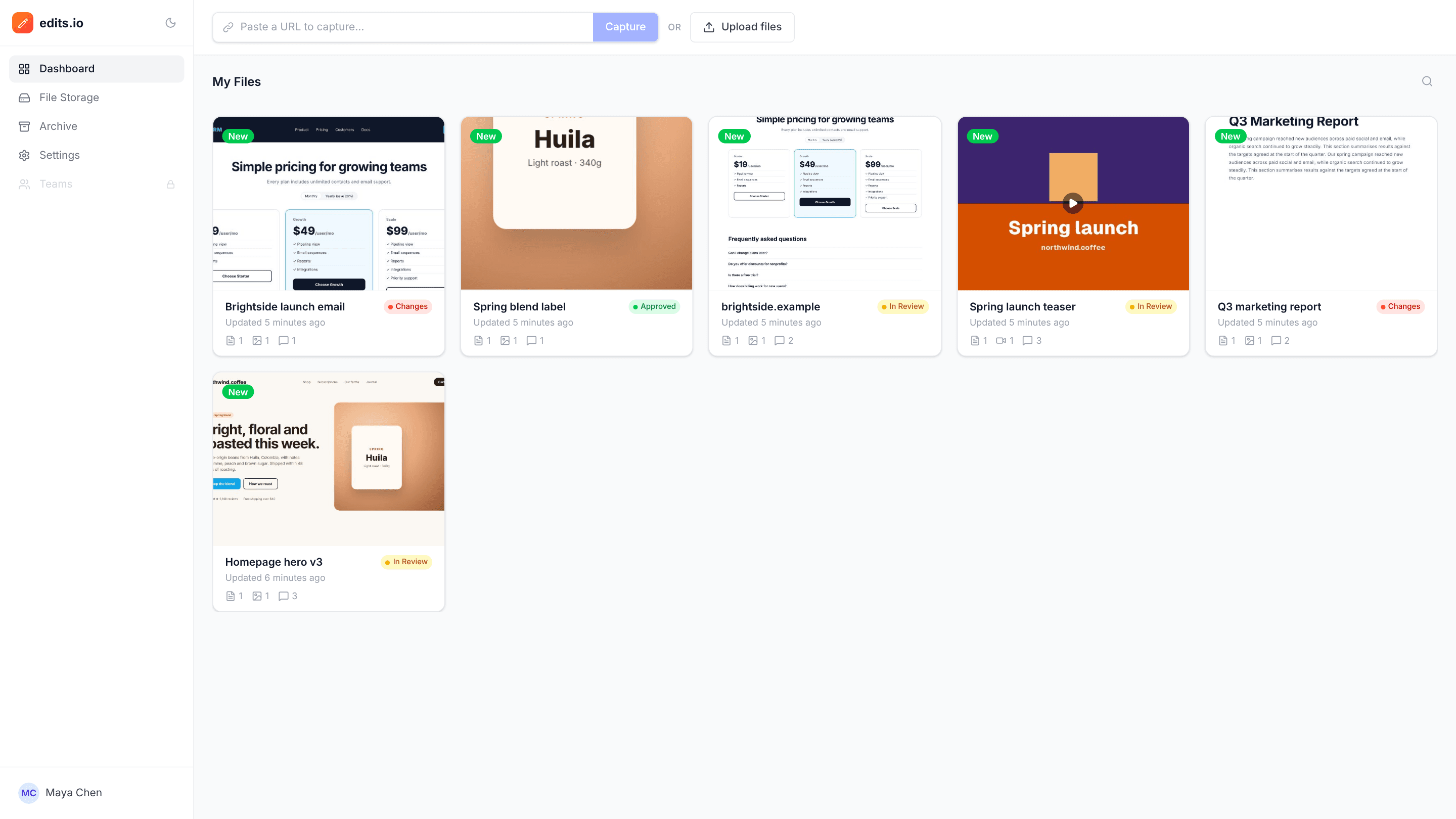
Share one link, collect every comment in one place, and see where each project stands. Clients don’t create an account. They open the link, add their name and start commenting on the work itself.
For images, video, PDFs and websites · Free plan, no credit card
How it works
- 1
Add the work
Upload images, videos or PDFs, or capture a live website. Group the files for one job into a project.
- 2
Send a review link
Create a link that’s view-only or open for comments, or email it with a note straight from the project.
- 3
Track it to approval
Mark the project In Review, Changes Requested or Approved, and resolve each comment as you make the change.
Why teams use edits.io for client approval
No accounts for clients
Guests comment under their own name. There is no signup step to slow them down or forget a password for.
You decide what a link allows
Share view-only links for sign-off and comment links for feedback rounds. Turn a link off at any time and it stops working.
Status at a glance
Every project carries a status, In Review, Changes Requested or Approved, shown right on your dashboard.
Feedback in one place
Comments from every reviewer land on the work itself, in one list, instead of scattered across email threads and chat.
A clear revision list
Resolve comments as you go. Whatever is still open is exactly what’s left to do before approval.
Every format, one workflow
The same link and status flow works for images, video, PDFs and website captures.
Frequently asked questions
Do clients need an account to review?+
No. Anyone with a comment link can leave feedback as a guest. They enter their name once and start commenting.
Can I share a link that only allows viewing?+
Yes. When you create a link you choose whether it is view-only or allows comments.
Can I stop a link from working?+
Yes. Set the project’s link access back to restricted and the old link stops working straight away.
How do I know when something is approved?+
Each project has a status: In Review, Changes Requested or Approved. Set it as the review progresses and it shows on your dashboard.
Can I send the review link by email?+
Yes. From the project you can email a review link with a short note to one or more people.
Is edits.io free?+
Yes. The free plan includes 3 GB of storage and 10 projects, with no credit card and no time limit. Pro is $19 a month and adds 250 GB of storage, unlimited projects and unlimited teammates.
Try it on your next review
Free for 10 projects and 3 GB of storage. Reviewers never need an account.
Create a free account