Website feedback for web designers and developers
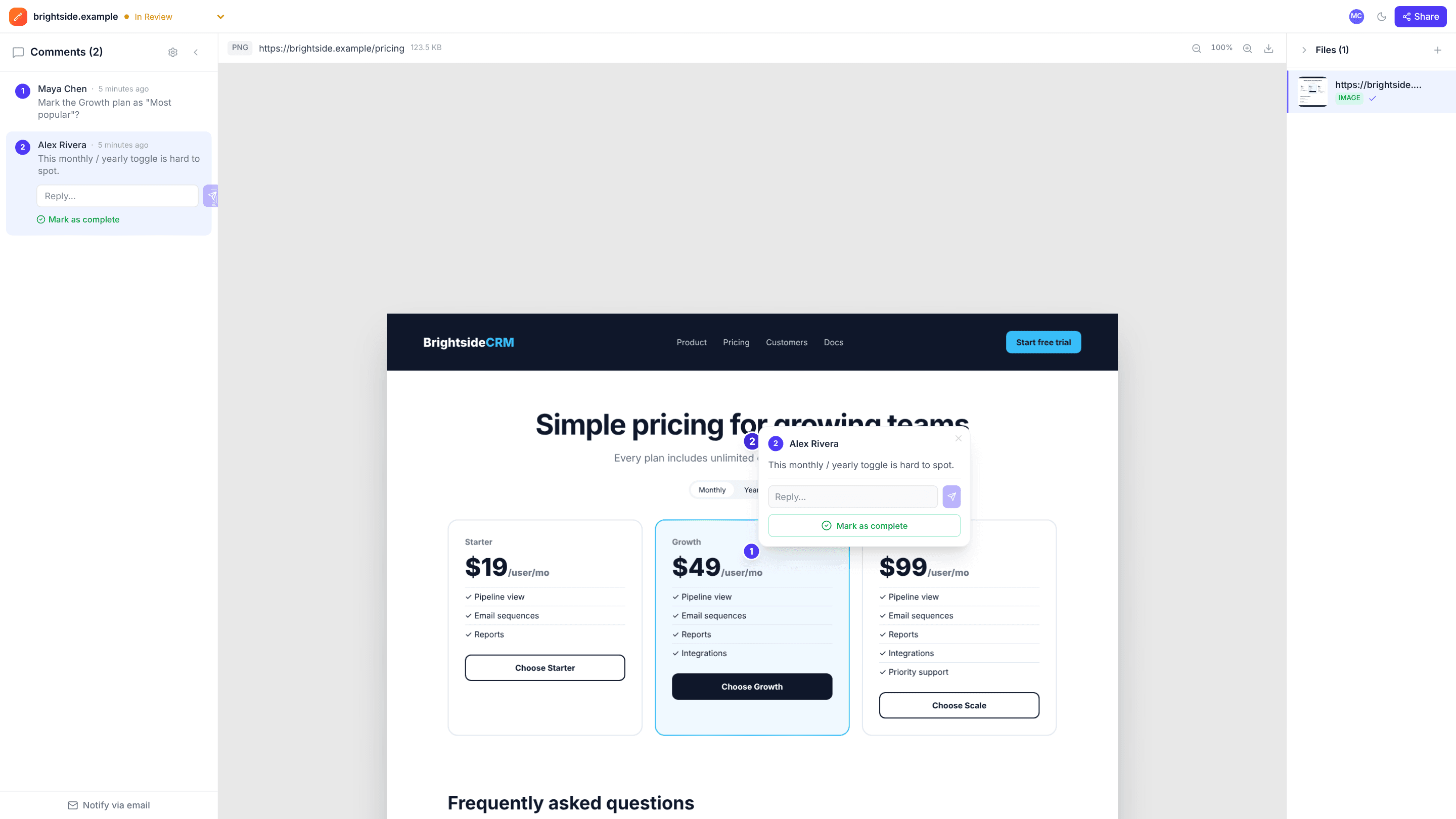
Review the mockups first, then capture the staging site from its URL and collect feedback on the real page. There’s no script to install on the site and nothing for clients to install in their browser.
The problems it solves
Clients describe, you decode
“The bit under the header looks off” becomes a numbered pin on the exact element.
Installing widgets on client sites
Capture any public page by URL instead; nothing goes on the site.
Feedback on a moving target
Comments stay attached to the capture you reviewed, even as you keep deploying. Capture again for the next round.
How it works
- 1
Review the designs
Upload mockups and agree on them before building.
- 2
Capture the build
Paste the staging URL to capture the full page at desktop width.
- 3
Fix and resolve
Work through the pins and resolve each one when it’s fixed.
Frequently asked questions
Can I capture a password-protected staging site?+
No. The capture sees what a logged-out visitor sees, and addresses on private networks are blocked. Use a public preview URL, or upload screenshots.
What screen size is captured?+
A 1440 × 900 desktop viewport, at the full height of the page.
Does it collect browser and console data?+
No. edits.io is for visual feedback; for technical bug reports, a dedicated bug-tracking tool is a better fit.
Free templates and tools
Website launch QA checklist
Everything to check before a website or landing page goes live.
Client feedback request email
Ask a client for clear, specific feedback by a deadline.
Design feedback checklist
What to check when reviewing a design, so feedback is complete and useful.
Annotate screenshot (free tool)
Paste a screenshot, point at the problem with arrows and pins, and save it.
PNG to WebP (free tool)
Convert PNG images to WebP in your browser, several at a time.
Try it on your next review
Free for 10 projects and 3 GB of storage. Reviewers never need an account.
Create a free account