PDF annotation
Annotate PDFs online and get clear feedback on every page
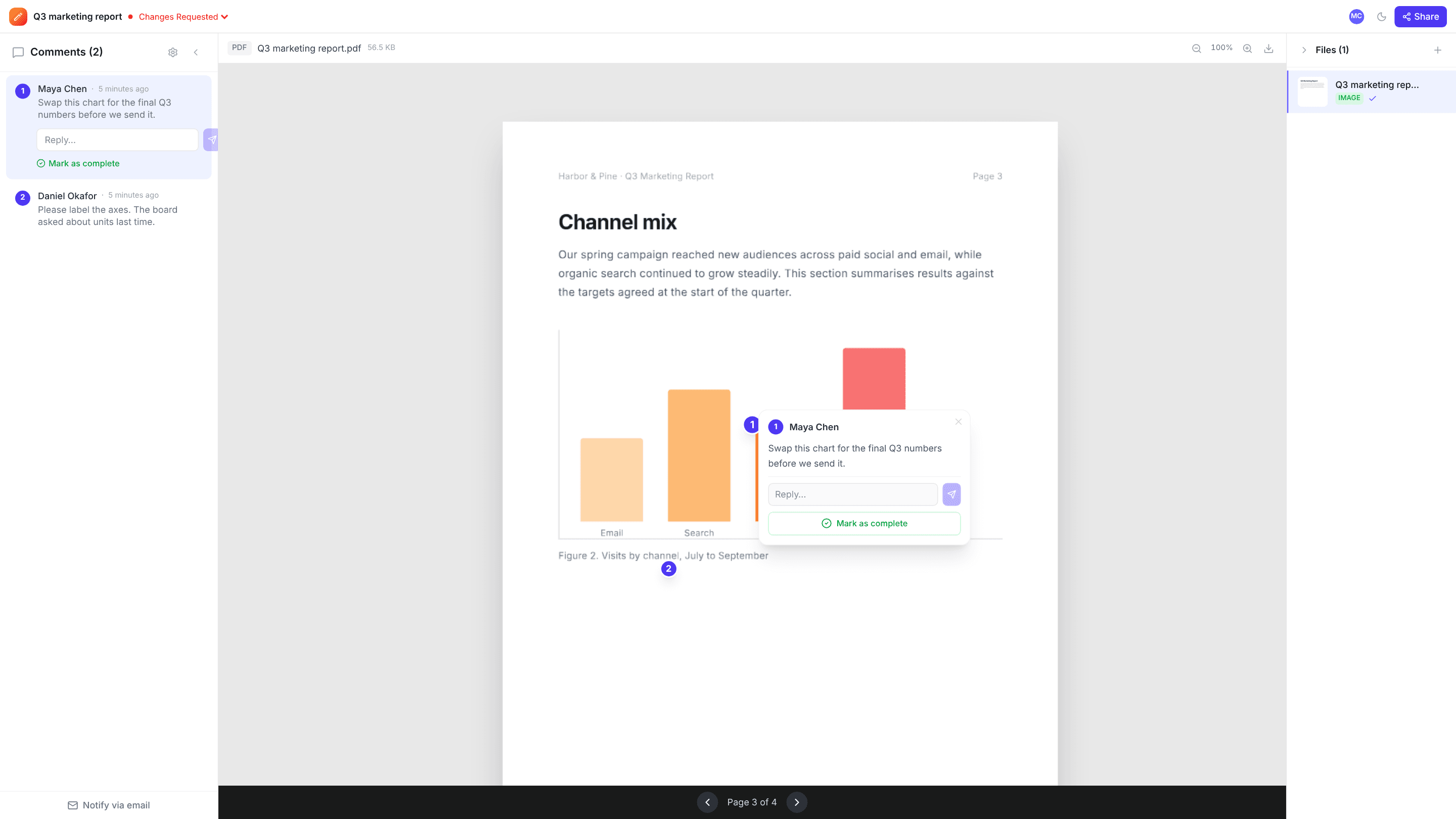
Upload a brochure, report, proposal or slide export, then click the exact spot that needs a change. Each comment is pinned to its page, so nobody has to write “page 4, second paragraph” in an email again.
Works with any PDF up to 2 GB · Free plan, no credit card
How it works
- 1
Upload the PDF
Drag it onto your dashboard or add it to an existing project. It opens right in the browser, with no plugin or desktop app.
- 2
Click to comment
Move through the pages and click anywhere to drop a numbered pin. Each pin remembers which page it belongs to.
- 3
Share for review
Send a review link. Clients and colleagues can read and comment as guests, without signing up.
Why teams use edits.io for pdf annotation
Comments stay on the right page
Every pin is saved with its page number. Turn to page 7 and you see the feedback for page 7, not a pile of notes for the whole document.
Point at the exact spot
A pin marks the heading, figure or sentence in question, which is far clearer than describing it in words.
Reviewers don’t need an account
Anyone with a comment link can add feedback under their name. No signup, no download.
Threads you can close out
Reply under a pin to settle a question, then mark it resolved once the change is made. Resolved comments can be reopened if needed.
Live for everyone
New comments appear for everyone looking at the project as soon as they’re posted, so reviewers don’t repeat each other.
One project, every format
Keep the PDF alongside the images, videos and website captures for the same job, and review them all in one place.
Frequently asked questions
Can I comment on a specific page of a PDF?+
Yes. Go to the page and click where you want the comment. The pin is saved against that page and only shows when that page is open.
Do reviewers need to install anything?+
No. The PDF renders in the browser. Reviewers open the link you send and can start commenting straight away as a guest.
Does annotating change my PDF?+
No. Comments sit on top of the document and are stored separately, so the original file stays exactly as you uploaded it.
How large can the PDF be?+
Files can be up to 2 GB each. How many you can keep depends on your plan’s storage: 3 GB on Free and 250 GB on Pro.
What else can I annotate?+
Images (PNG, JPEG, WebP and SVG), videos, and full-page captures of live websites, all with the same click-to-comment pins.
Is edits.io free?+
Yes. The free plan includes 3 GB of storage and 10 projects, with no credit card and no time limit. Pro is $19 a month and adds 250 GB of storage, unlimited projects and unlimited teammates.
Try it on your next review
Free for 10 projects and 3 GB of storage. Reviewers never need an account.
Create a free account