Video feedback for editors, pinned to the frame
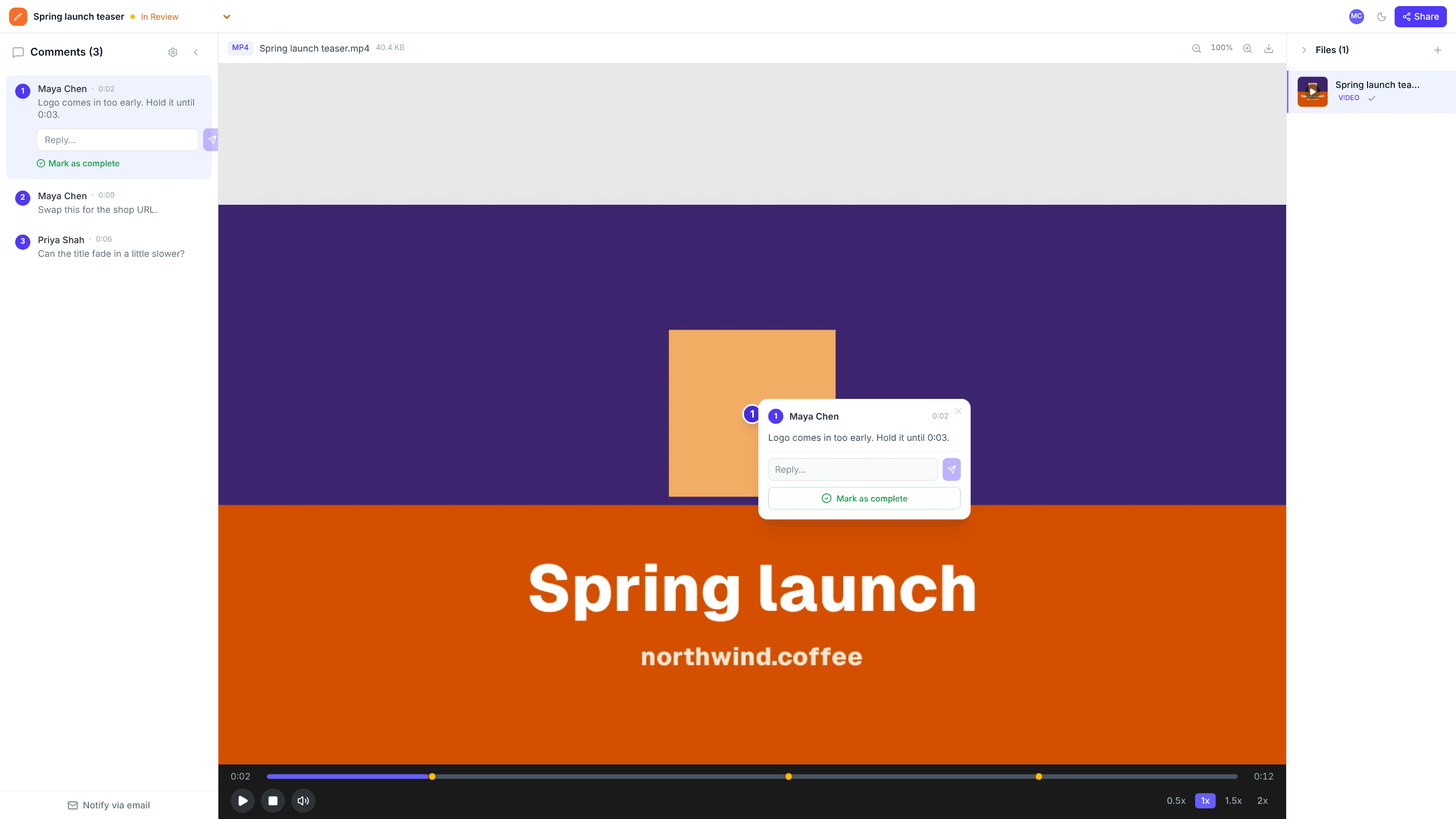
Upload a cut and send a link. Reviewers pause, click on the frame and type, and every note is saved with its timestamp and position. Click a comment and the player jumps right to it.
The problems it solves
Hand-typed timestamps
“At about 1:40, the thing on the left” is hard to act on. Comments in edits.io record the time and the spot automatically.
Notes from several reviewers
Everyone comments on the same cut, so you see all the feedback in one list instead of merging emails.
Knowing when a cut is final
Mark the project Changes Requested or Approved so everyone knows where it stands.
How it works
- 1
Upload the cut
MP4 or WebM up to 2 GB per file.
- 2
Reviewers pause and click
Each comment is pinned to a spot on the frame and the moment it was left.
- 3
Jump, fix, resolve
Click a comment to jump to it, make the change, and resolve it.
Frequently asked questions
Which video formats work best?+
MP4 (H.264) and WebM play in every modern browser. Other formats depend on the reviewer’s browser.
How large can files be?+
Up to 2 GB per file. Storage is 3 GB on the free plan and 250 GB on Pro.
Do reviewers need an account?+
No. They watch and comment as guests from the link you send.
Free templates and tools
Video feedback checklist
Review a video cut systematically: story, pacing, picture, sound, text and delivery.
Final approval email
Get a clear, written sign-off before print, launch or delivery.
Feedback reminder email
Chase overdue client feedback without sounding pushy.
Extract frames from video (free tool)
Pause any moment of a video and save that exact frame as an image.
Compress image (free tool)
Shrink JPG, PNG and WebP file sizes with a quality slider and live savings.
Try it on your next review
Free for 10 projects and 3 GB of storage. Reviewers never need an account.
Create a free account