Landing page review
Landing page feedback on the exact headline, form or button
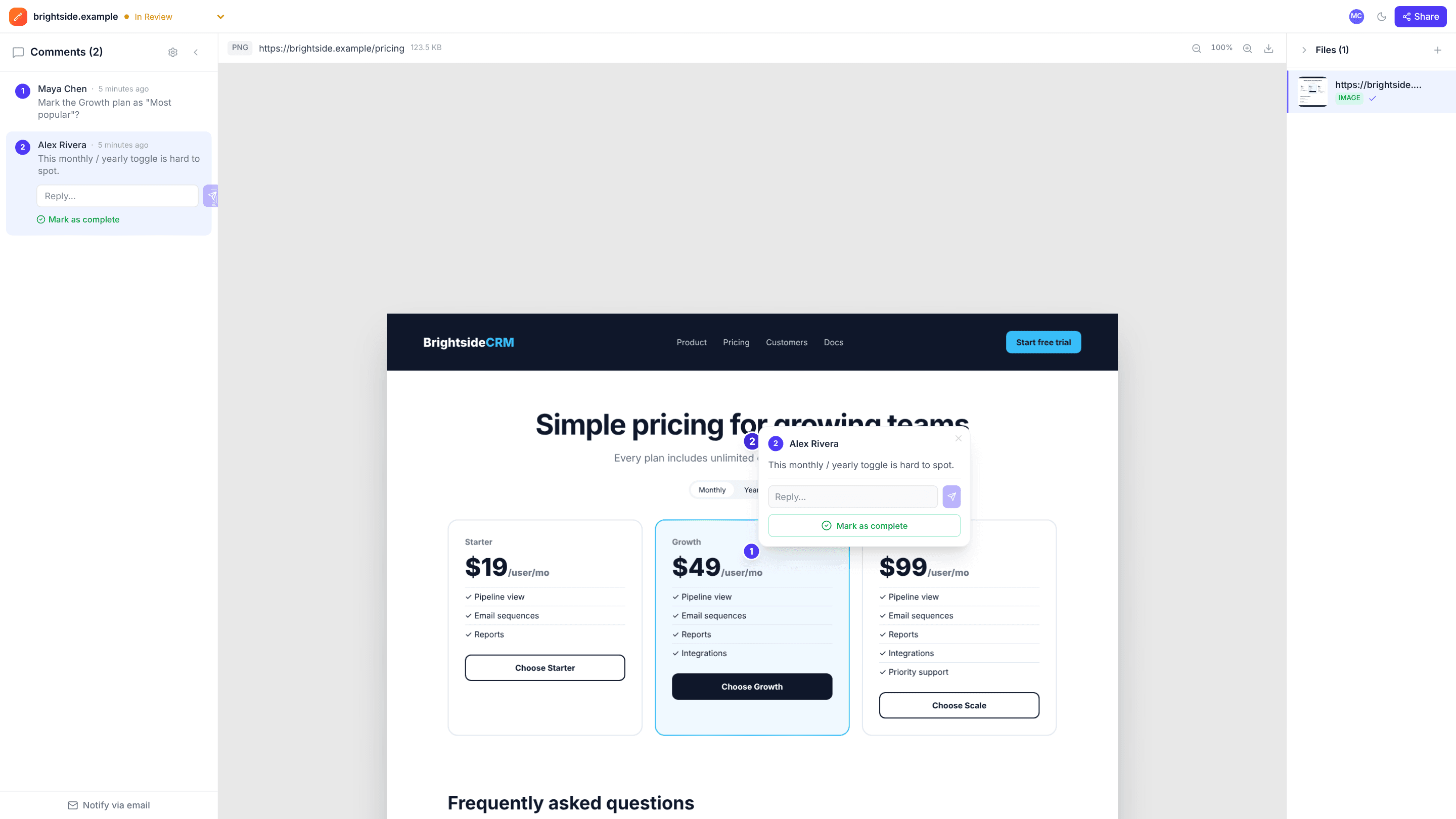
Paste the address of a public landing page and edits.io captures the whole page as an image. Reviewers click the headline, form or button they mean, so every note points at something specific.
Public HTTPS pages, or upload a mockup or screenshot · Free plan, no credit card
How it works
- 1
Capture or upload
Paste a public URL to capture the full page at desktop width, or upload a design or screenshot of a page that isn’t public yet.
- 2
Pin the feedback
Reviewers click the exact section, from the hero to the footer, and type what should change.
- 3
Fix and capture again
Work through the comments, then capture the updated page for the next round. Each capture is a new project.
Why teams use edits.io for landing page review
The whole page in one view
Captures include the full length of the page at a 1440 × 900 desktop viewport, not just the first screen.
Comments that don’t drift
The capture doesn’t change while people review, so pins stay on their section even if the live page is updated.
Works before launch
For pages behind a login or on a private staging server, upload a screenshot or the design instead.
No account for reviewers
Marketers, clients and stakeholders comment from the link under their name.
Discuss, then resolve
Talk each point through under its pin and resolve it once the change is live.
Know when it’s signed off
Set the project to Changes Requested or Approved so the team knows when the page is ready.
Frequently asked questions
Is the captured page interactive?+
No. It’s a full-page image at desktop width, so menus, forms and hover states can’t be clicked. For mobile layouts or interactive states, upload screenshots.
Can I capture a staging site or a page behind a login?+
Only public HTTPS pages can be captured; private and internal addresses are blocked. For anything else, upload a screenshot or the design.
Does capturing again update the same project?+
No. Each capture creates a new project, which keeps a clean record of each round.
Can reviewers comment without signing up?+
Yes. Share a link with comment access and they leave feedback as a guest under their name. No account, no download.
Is edits.io free?+
Yes. The free plan includes 3 GB of storage and 10 projects, with no credit card and no time limit. Pro is $19 a month and adds 250 GB of storage, unlimited projects and unlimited teammates.
Try it on your next review
Free for 10 projects and 3 GB of storage. Reviewers never need an account.
Create a free account