Brochure proofing
Proof brochures page by page, without the PDF markup mess
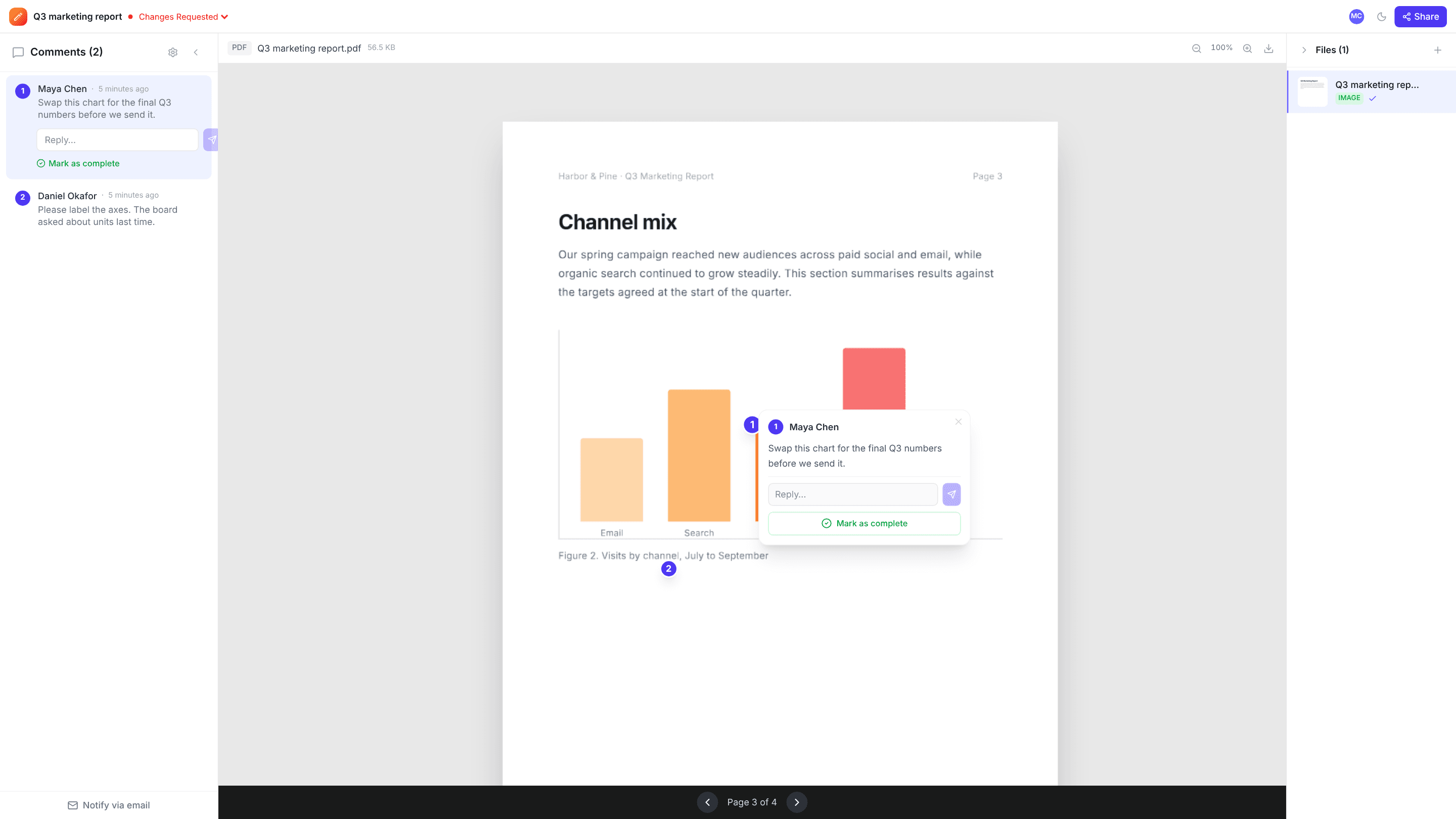
Export the brochure as a PDF, share one link, and reviewers click the exact headline, price or photo on any page. Every comment stays on its page, so nothing gets lost between spreads.
Works with PDFs up to 2 GB · Free plan, no credit card
How it works
- 1
Export a PDF
Export the brochure from your layout software as a PDF and upload it to a new project.
- 2
Share for proofing
Send a link with comment access. Reviewers page through the PDF and click wherever a change is needed.
- 3
Fix and sign off
Work through the comments page by page, resolve each one, and set the project to Approved before it goes to print.
Why teams use edits.io for brochure proofing
Comments on the right page
Each pin records its page, and only that page’s pins are shown, so comments on page 2 don’t clutter page 8.
No PDF software needed
Reviewers comment in the browser. No Acrobat, no downloads, no account.
One list of changes
Every reviewer’s comments land in one list, instead of several marked-up PDFs to merge by hand.
Discuss, then resolve
Reply under any pin to agree the fix, then resolve it. Open pins are what’s left to do.
A clear status before print
Changes Requested and Approved make it obvious when a proof is signed off.
Check more than the words
Send our free print proof checklist with the link, so reviewers also check numbers, images and bleed.
Frequently asked questions
Can I upload InDesign or Illustrator files?+
Export them to PDF first. edits.io reviews PDFs, images and videos, not native layout files.
Do comments stay on the right page?+
Yes. Each comment records its page number and appears only on that page.
Does it check bleed, colour or preflight?+
No. edits.io collects comments and approvals; it doesn’t preflight files or check colour. Use your printer’s checks alongside it.
Can reviewers comment without signing up?+
Yes. Share a link with comment access and they leave feedback as a guest under their name. No account, no download.
Is edits.io free?+
Yes. The free plan includes 3 GB of storage and 10 projects, with no credit card and no time limit. Pro is $19 a month and adds 250 GB of storage, unlimited projects and unlimited teammates.
Try it on your next review
Free for 10 projects and 3 GB of storage. Reviewers never need an account.
Create a free account