Visual feedback on student work
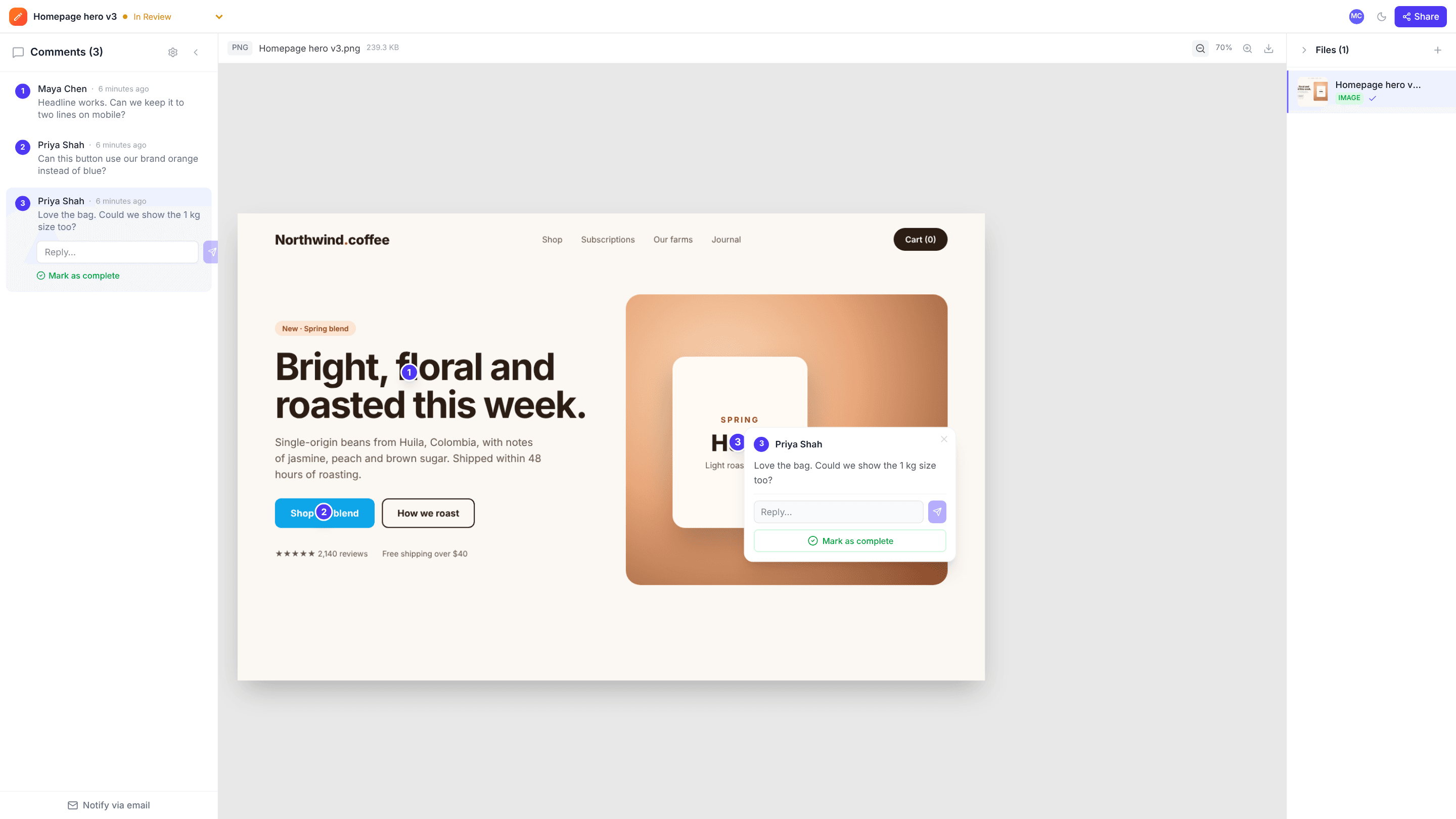
Upload a student’s design, portfolio PDF or video and leave feedback right on the work. Students see exactly what each comment refers to and can reply in the thread.
The problems it solves
Written feedback that’s hard to map to the work
A pin on the exact spot shows what each note is about.
Video assignments
Comments on student films are saved with the timestamp and the spot on the frame.
Dialogue, not just marks
Students can reply to each comment to ask questions or explain choices.
How it works
- 1
Upload the work
Images, PDFs or video, one project per assignment or student.
- 2
Comment on the work
Pin feedback where it applies.
- 3
Share with the student
Send the link; they read and reply without an account.
Frequently asked questions
Can students submit work themselves?+
Not through a review link: guests can view and comment but not upload. Either upload their files yourself, or have each student upload to their own free account and send you a comment link.
Is there a grading feature?+
No. edits.io is for visual feedback and discussion, not grading or a learning management system.
Is it free?+
The free plan covers 10 projects and 3 GB. Pro is $19 a month with unlimited projects.
Free templates and tools
Design feedback checklist
What to check when reviewing a design, so feedback is complete and useful.
Video feedback checklist
Review a video cut systematically: story, pacing, picture, sound, text and delivery.
Creative brief template
A one-page brief that gets everyone agreeing on the goal before work starts.
Annotate image (free tool)
Add numbered pins, arrows, boxes, text and blur to any image, then download it.
Extract frames from video (free tool)
Pause any moment of a video and save that exact frame as an image.
Try it on your next review
Free for 10 projects and 3 GB of storage. Reviewers never need an account.
Create a free account