Client feedback for interior designers
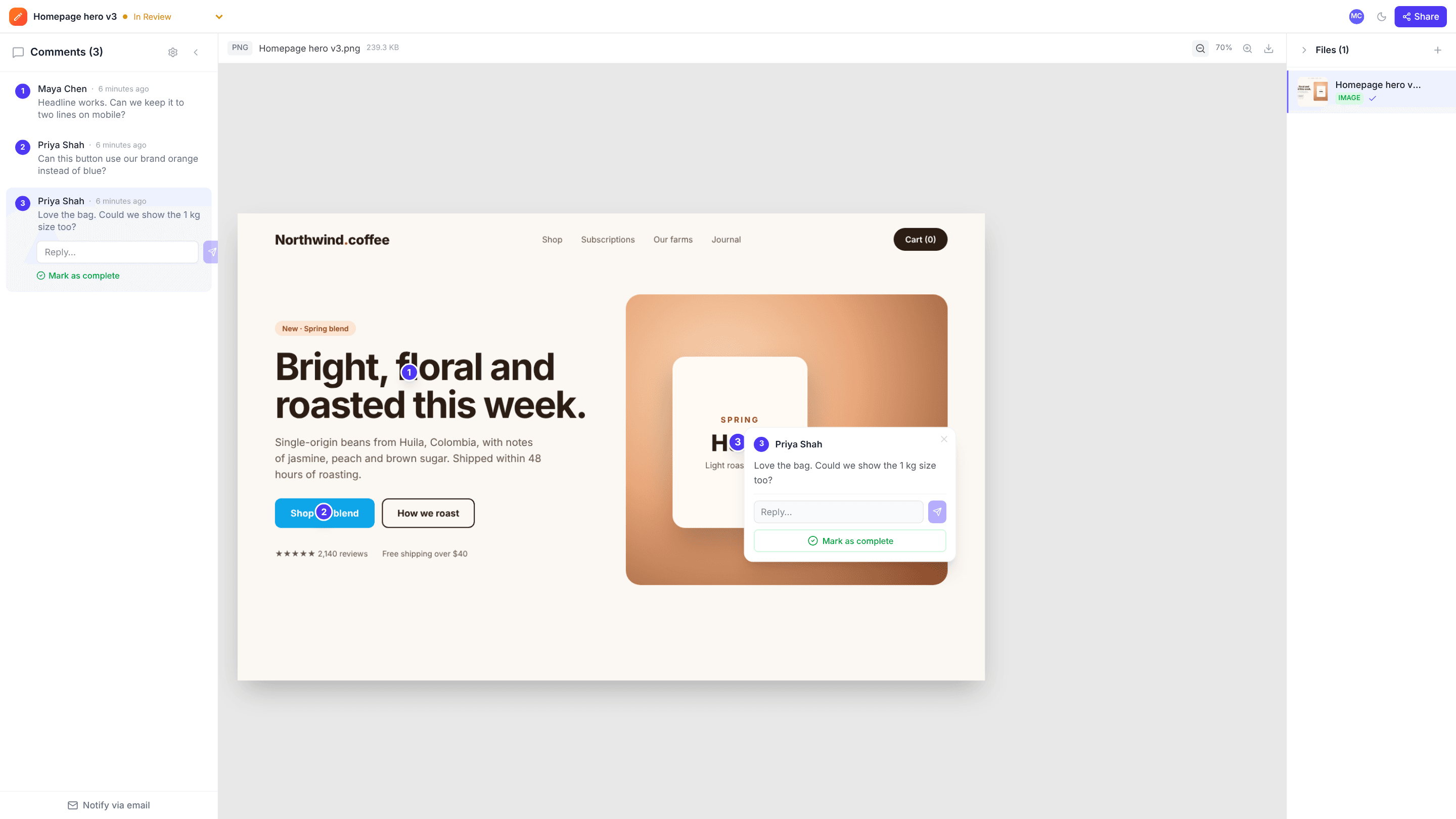
Share mood boards, renders and floor plans in one project. Clients click on the sofa, the tile or the wall colour they want to talk about, so every decision is attached to the thing it’s about.
The problems it solves
Decisions lost in messages
“Yes to the second one” is hard to trace later. Comments sit on the board or render they refer to.
Several decision-makers
Partners or family members can all comment on the same link and see each other’s notes.
Knowing what’s agreed
Resolve each comment once decided, and mark the board Approved.
How it works
- 1
Upload boards and renders
Images and PDF plans in one project per room or phase.
- 2
Client comments on items
They click on the exact item or finish to comment.
- 3
Agree and move on
Resolve decisions and mark each project Approved.
Frequently asked questions
Can clients comment on a floor plan PDF?+
Yes. Comments are pinned to a spot on the page.
Do clients need to install anything?+
No. Everything opens in the browser from a link.
Is there a free plan?+
Yes: 10 projects and 3 GB of storage, with no time limit.
Free templates and tools
Creative brief template
A one-page brief that gets everyone agreeing on the goal before work starts.
Client feedback request email
Ask a client for clear, specific feedback by a deadline.
Final approval email
Get a clear, written sign-off before print, launch or delivery.
Annotate image (free tool)
Add numbered pins, arrows, boxes, text and blur to any image, then download it.
Compress image (free tool)
Shrink JPG, PNG and WebP file sizes with a quality slider and live savings.
Try it on your next review
Free for 10 projects and 3 GB of storage. Reviewers never need an account.
Create a free account