Packaging design review and approval
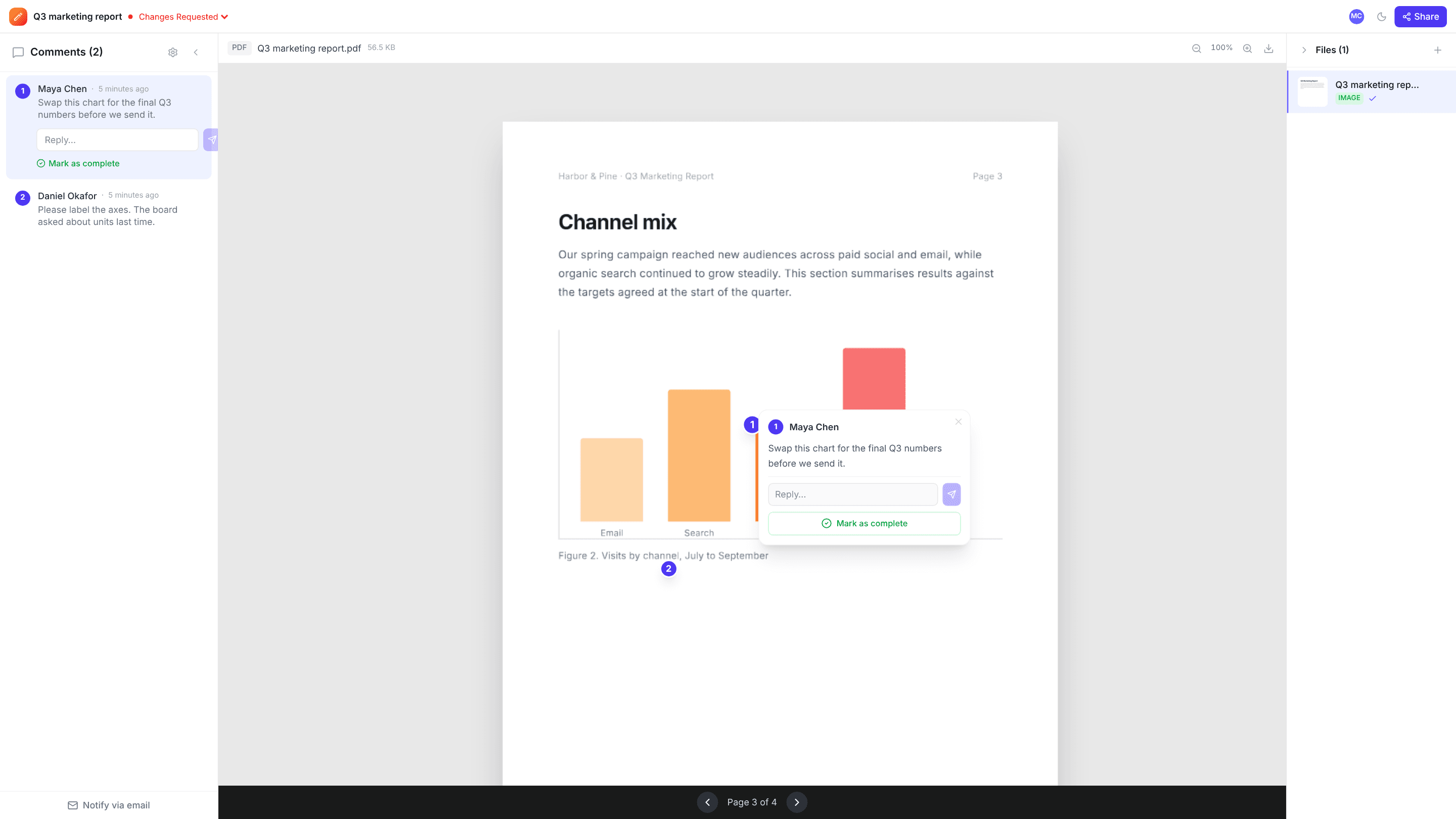
Share the dieline PDF, the mockups and the renders in one project. Brand, legal and the client comment on the exact panel, claim or barcode, and you get one clear approval before artwork goes to print.
The problems it solves
Many reviewers, one deadline
Everyone comments on the same files at the same time, and sees what others have already flagged.
Costly mistakes on small text
Pin comments on ingredients, claims and legal copy so every correction is precise.
Proof of sign-off
Mark the project Approved once everyone has confirmed, alongside the comment history.
How it works
- 1
Upload artwork
Dieline PDFs, flat artwork and render images.
- 2
Collect corrections
Share one comment link with every reviewer.
- 3
Approve for print
Resolve corrections, upload the final version and mark it Approved.
Frequently asked questions
Does edits.io check dielines or colour separations?+
No. It doesn’t do preflight, colour or dieline checks. Use it to collect comments and approvals, alongside your prepress process.
Can legal and brand teams comment without accounts?+
Yes. Anyone with a comment link can comment as a guest.
Can I compare versions side by side?+
There’s no built-in version comparison; upload each version as a new file in the project so the history stays together.
Free templates and tools
Final approval email
Get a clear, written sign-off before print, launch or delivery.
Design feedback checklist
What to check when reviewing a design, so feedback is complete and useful.
Creative brief template
A one-page brief that gets everyone agreeing on the goal before work starts.
PDF to PNG (free tool)
Turn every page of a PDF into a sharp PNG image.
Annotate image (free tool)
Add numbered pins, arrows, boxes, text and blur to any image, then download it.
Try it on your next review
Free for 10 projects and 3 GB of storage. Reviewers never need an account.
Create a free account