Retouching feedback and approvals for photographers
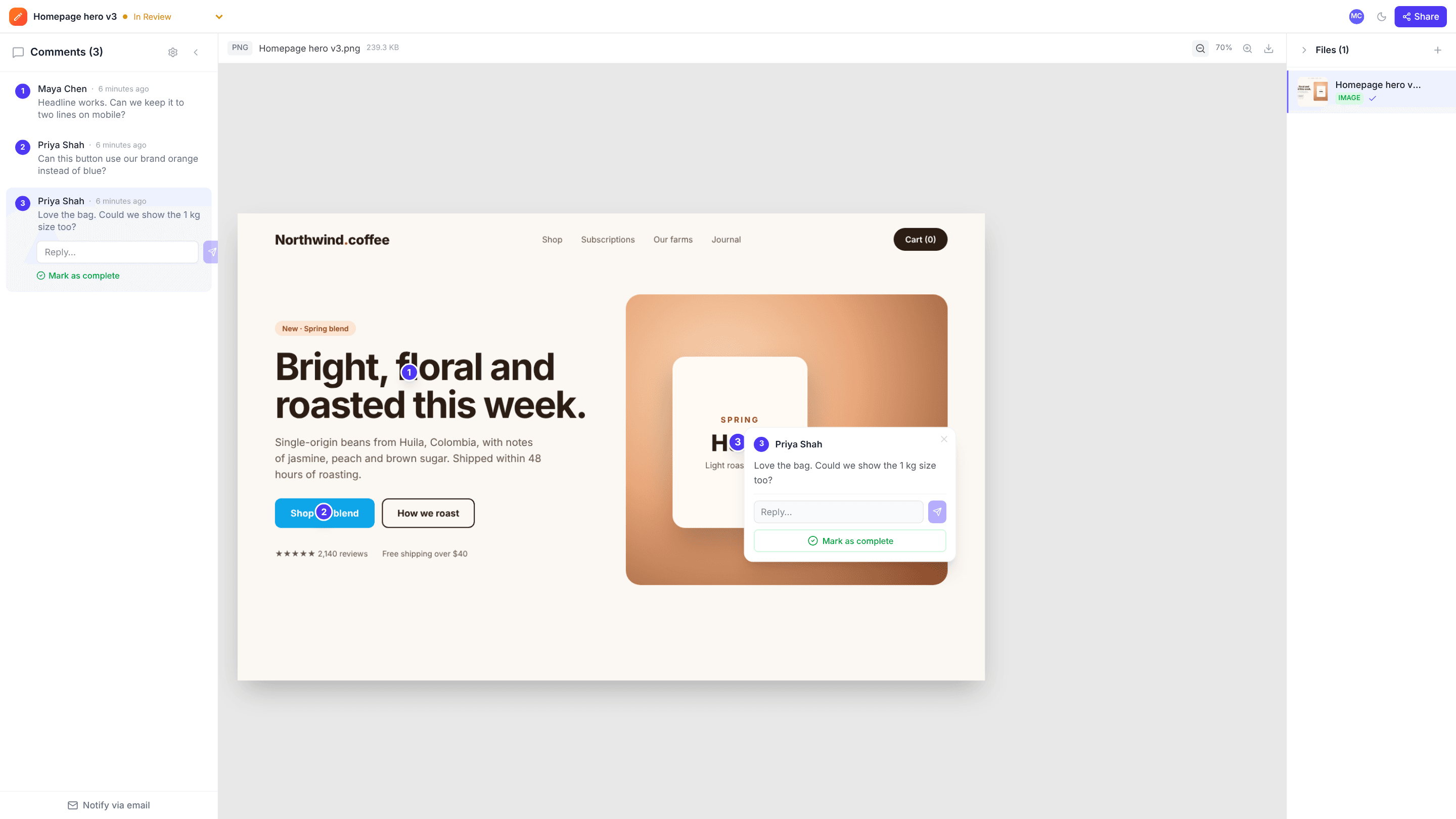
Upload a set of edits and send the client a link. They click on the stray hair, the colour cast or the background they want cleaned up, and every note stays pinned to that spot in that photo.
The problems it solves
“The third one, on the left”
With a whole shoot in one email, nobody’s sure which image a note is about. Each image in edits.io has its own comments.
Vague retouching requests
A pin on the exact spot makes retouching notes unambiguous.
Knowing when you’re done
Resolve each note as you fix it and mark the set Approved when the client signs off.
How it works
- 1
Upload the edits
A multi-image upload becomes one project with a numbered list of photos.
- 2
Client marks changes
They click on each photo where they want a change, as a guest.
- 3
Retouch and approve
Fix, resolve, and mark the set Approved.
Frequently asked questions
Can clients pick their favourite photos?+
There’s no favourites button. Clients can leave a comment on the photos they choose, and you’ll see them all in one list. edits.io is designed for feedback and approval rather than gallery delivery or print sales.
Which file types can I upload?+
JPEG, PNG, WebP and SVG images, plus video and PDF. Raw camera files aren’t supported; export JPEGs for review.
Do clients need an account?+
No. They open the link, enter their name and comment.
Free templates and tools
Client feedback request email
Ask a client for clear, specific feedback by a deadline.
Final approval email
Get a clear, written sign-off before print, launch or delivery.
Feedback reminder email
Chase overdue client feedback without sounding pushy.
Resize image (free tool)
Change an image’s width and height in pixels or by percentage.
Compress image (free tool)
Shrink JPG, PNG and WebP file sizes with a quality slider and live savings.
Try it on your next review
Free for 10 projects and 3 GB of storage. Reviewers never need an account.
Create a free account