Proof approval for print shops
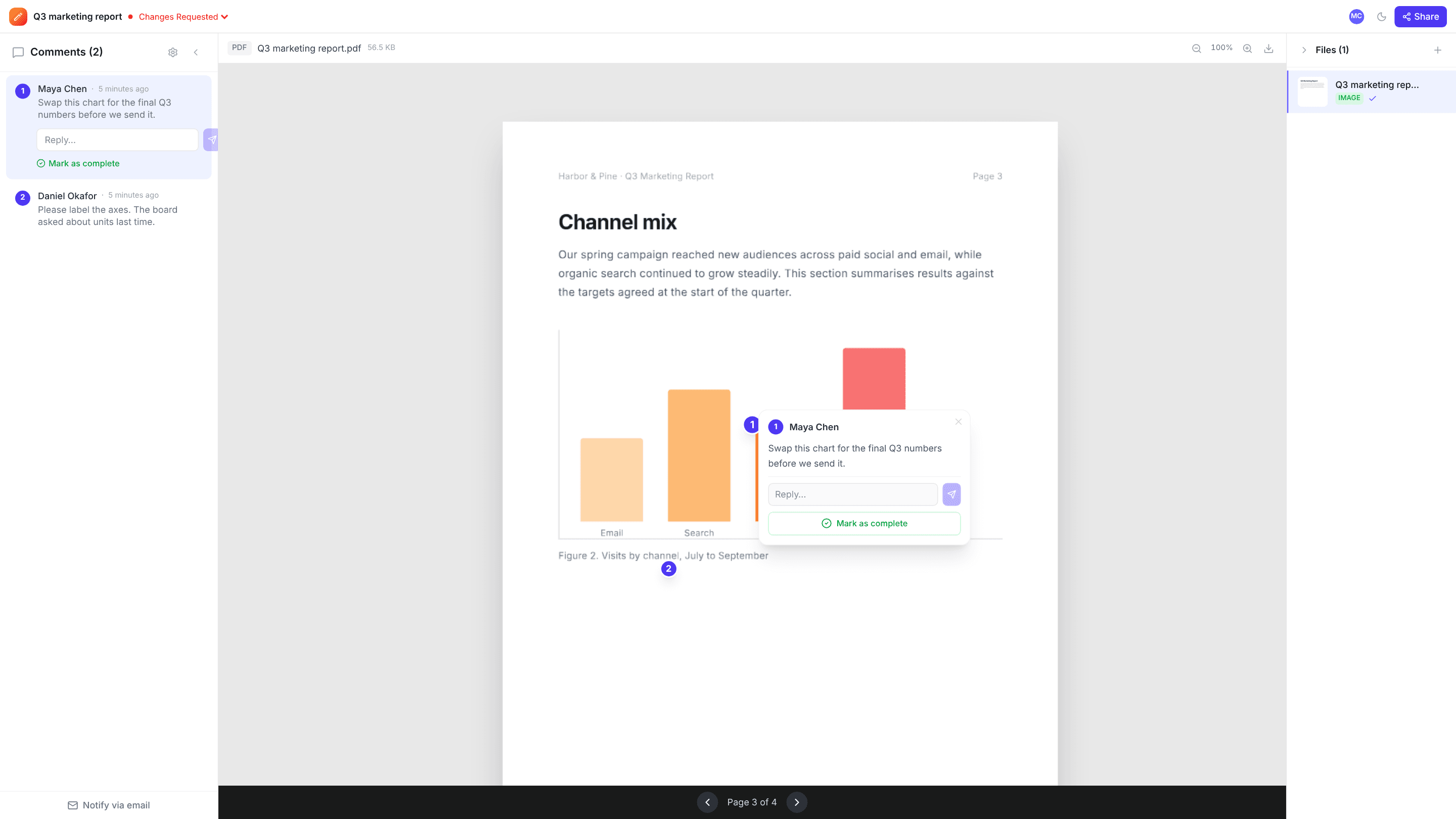
Upload the proof, send the customer a link, and they click on the exact spot that needs a correction. Comments are saved per page, and the job is marked Approved when they sign off, so there’s a clear record before anything goes on press.
The problems it solves
Corrections described in emails
“The phone number on the back is wrong” becomes a pin on the number itself, on the right page.
Approvals you can’t find later
Each job carries a status (In Review, Changes Requested, Approved) next to the comments that led to it.
Customers who don’t want another login
Customers open the proof link and comment under their name, with no account to create.
How it works
- 1
Upload the proof
A PDF or image proof, up to 2 GB per file.
- 2
Send the link
Email it with a note straight from the project, or paste it into your own message.
- 3
Correct, then approve
Resolve each correction, upload the revised proof, and mark the job Approved when the customer confirms.
Frequently asked questions
Does edits.io check print files for bleed, resolution or CMYK?+
No. edits.io is for customer comments and sign-off, not preflight. Keep using your prepress checks before sending the proof.
Can customers comment on a specific page of a PDF proof?+
Yes. Comments are pinned to a spot and saved with their page number.
How do I get the approval in writing?+
Ask the customer to reply “approved” to the review email and set the project to Approved. Our final approval email template covers what to say.
Free templates and tools
Final approval email
Get a clear, written sign-off before print, launch or delivery.
Client feedback request email
Ask a client for clear, specific feedback by a deadline.
Feedback reminder email
Chase overdue client feedback without sounding pushy.
PDF to JPG (free tool)
Turn every page of a PDF into a JPG image you can share anywhere.
Compress image (free tool)
Shrink JPG, PNG and WebP file sizes with a quality slider and live savings.
Try it on your next review
Free for 10 projects and 3 GB of storage. Reviewers never need an account.
Create a free account